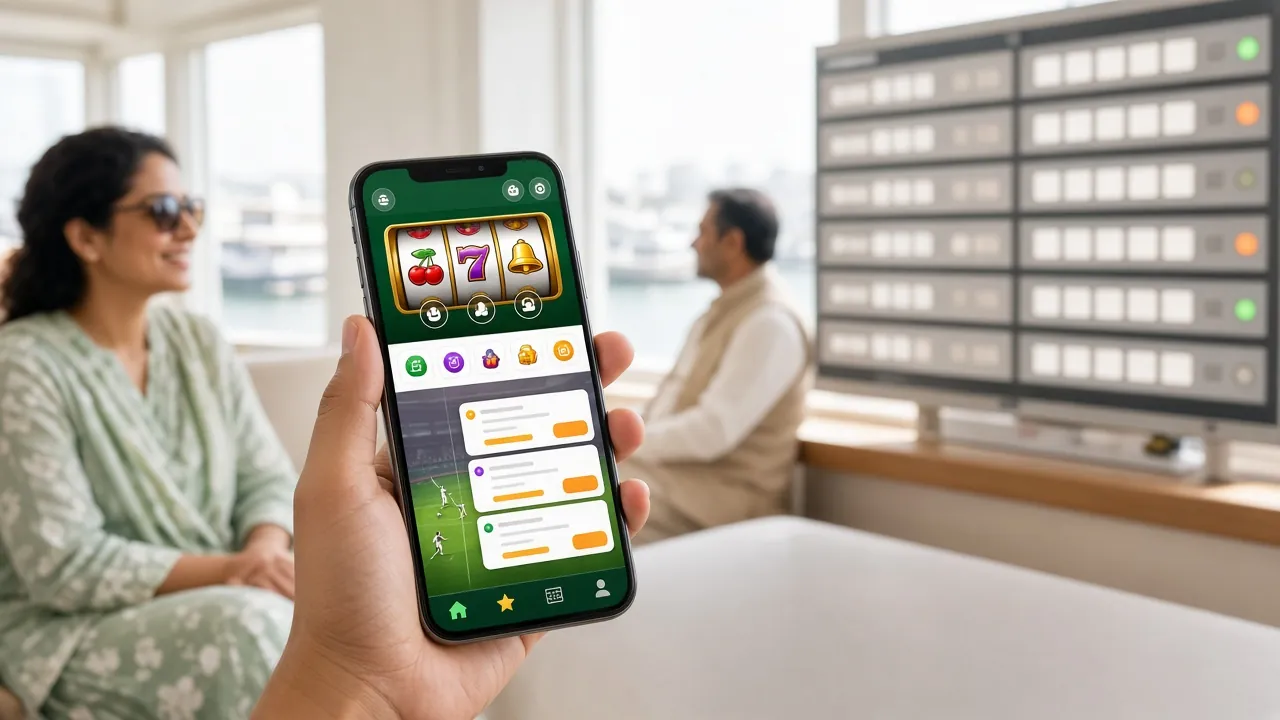
1qqq App — Play Cricket Betting, Slots and Crash Games on Your Phone
The 1qqq app brings the full casino and sports betting experience to Android. Deposit with bKash in under 5 minutes, bet on live cricket, spin slots and cash out fast — all from one lightweight APK.
- Safe APK — No Malware
- Android 8.0+
- 28 MB Only
- SSL Encrypted
- 24/7 Support
download
Version Details & What Your Phone Needs
Before you tap "download", check this table against your Android device. The 1qqq app runs on most phones sold in Bangladesh from 2018 onward.
iOS Users: Add to Home Screen
There is no App Store listing — Apple does not allow real-money gaming apps in most regions. iPhone and iPad users can get a near-native experience as a PWA in under a minute.
- Open 1-qqq.lat in Safari.
- Tap the Share button (box with arrow).
- Scroll down and tap "Add to Home Screen".
- Tap Add — the icon appears on your home screen.
Safe to Install: What the App Asks and Why
Some players worry about sideloading an APK. Here is exactly what permissions the 1qqq app requests, and why each one is needed. Nothing runs in the background when you close the app.
TLS / SSL Encryption
All traffic between your phone and the 1qqq servers is protected by TLS 1.3. That covers login credentials, deposit requests and game results. You can verify this in your phone's browser settings — look for the padlock icon when you visit 1-qqq.lat. No payment data is ever stored on the device itself.
No Camera or Microphone Access
The 1qqq app does not request camera, microphone or contacts permissions. The only device access it needs is internet (INTERNET), prevent device sleep during gameplay (WAKE_LOCK), and storage for the app cache (READ_EXTERNAL_STORAGE, Android 8–9 only). You can review all permissions in Settings › Apps › 1qqq on your phone at any time.
Download Only from This Page
The APK at /download/1-qqq.apk is the only official file. Do not install APKs shared in WhatsApp groups or Telegram channels — those may be modified. If you are unsure whether a file is genuine, compare the file size (28 MB exactly) and version string (3.1.1) shown inside the app after installation.
Account Security in the App
Use a strong, unique password for your 1qqq account. The app supports auto-lock after two minutes of inactivity. If you share a phone, enable the screen lock on your device before logging in. For account recovery, support is available 24/7 by live chat — contact [email protected] if you lose access.
Get the 1qqq APK Running in Five Steps
-
1
Allow Installation from Unknown Sources
Android blocks APKs that are not from the Play Store by default. Go to Settings › Apps › Special App Access › Install Unknown Apps. Find your browser (Chrome, Firefox) or file manager and toggle it on. On Android 8 and above, you grant this per app — you can turn it off again after the 1qqq app is installed.
-
2
Download the APK File
Tap the "Download APK" button on this page. Your browser will save 1-qqq.apk (28 MB) to your Downloads folder. The transfer takes under 30 seconds on a standard 4G connection. If your carrier blocks the download, switch to Wi-Fi or use a mobile data connection and try again.
-
3
Open the File and Confirm Installation
Pull down the notification bar and tap 1-qqq.apk, or open your file manager and find it in Downloads. Android will show a permissions screen — read it, then tap Install. The process takes about 15 seconds. You do not need to uninstall an older version first — the new APK will upgrade automatically while keeping your account data.
-
4
Open the App and Log In or Register
Tap Open once installation finishes, or find the 1qqq icon on your home screen. Existing players can log in with their current username and password. New players: tap "Create Account" inside the app — the registration form is the same as on the website and takes under two minutes to complete.
-
5
Deposit and Claim Your Welcome Bonus
After logging in, go to Wallet › Deposit. Choose bKash, Nagad, Rocket or Upay. Enter the amount (minimum ৳100), confirm on your mobile banking app and funds arrive within 5 minutes. First-time depositors receive a 100% bonus up to ৳9,500 automatically — no code needed. Wagering requirement is 13×. Full bonus terms are in the Bonus & VIP guide.
Quick Download
Tap the button below to save the APK file directly to your Android Downloads folder.
Download 1-qqq.apkDon't have an account yet?
Register NowDownload Area: Get the Official APK
This is the only official download link for the 1qqq app. The file is hosted on our servers and is scanned before every release. Version 3.1.1 is the current stable build.
Official file · Last updated 5 November 2026 · Requires Android 8.0+
- App Version
- 3.1.1
- File Size
- 28 MB
- Min Deposit
- ৳100
- Withdraw Time
- 25 min
Inside the App: Speed, Layout and Controls
The 1qqq app is built for mid-range Android phones common in Bangladesh. It loads the lobby in under 3 seconds on 4G. Navigation is a single tap — no buried menus.
Fast Loading on Mobile Data
Optimised assets keep data usage low. Live cricket odds update in real time without reloading the page.
One-Tap bKash & Nagad Deposit
The deposit screen detects your mobile banking apps. Enter amount, switch to bKash, confirm, switch back — funds arrive in 5 minutes.
Push Notifications for Match Events
Get alerts when a cricket match goes live or your Crash bet multiplier hits your target. Notifications can be turned off in settings.
Auto-Update Built In
When a new version is available, a banner appears at the top of the app. Tap it to download the latest APK directly — no need to visit this page again.
Android
App vs Browser: Which One Should You Use?
Both routes give you the full 1qqq game library. The app has a few extras that make a real difference on slower connections or during live matches.
| Feature | 1qqq App | Mobile Browser |
|---|---|---|
| Full game library access | ||
| bKash / Nagad deposit | ||
| Live cricket odds in real time | ||
| Push notifications | ||
| Auto-reconnect on weak signal | ||
| Fingerprint / face unlock | ||
| Offline balance viewing | ||
| No browser tabs needed | ||
| Requires installation | Yes — 28 MB APK | No |
| Works on iPhone/iPad | Android only |
Not sure yet? You can browse the full casino lobby in your browser first — no account needed to preview the games.
Six Things You Can Do Right After Installing
The 1qqq app is not just a wrapper for the website. These six sections are optimised for touch screens and smaller displays.

Slots from Habanero, FA Chai & More
Over 2,700 slot titles are available in the app — from Monster Mine (97.4% RTP) to Fortune Rabbit and Midas Fortune. Filter by provider, RTP range or minimum bet. Stakes start at ৳1 per spin, so the app works for every budget. Wins are credited to your wallet instantly and can be withdrawn from ৳700.
Cricket Betting: BPL, IPL and T20 Internationals
Bet on match winner, top batsman, over/under runs and more. Odds refresh ball by ball during live matches. The app keeps your pre-match and in-play bets on a single screen so you never lose track. BDT balances and payouts make it straightforward for Bangladesh players — no currency conversion needed.
Crash Games: Aviator-Style Multipliers
Crash titles like Color Prediction and Tower from KA Gaming are purpose-built for mobile. Tap to cash out before the multiplier crashes — the action is designed for one hand. Live bet history scrolls alongside the graph so you can track trends. Minimum bet is ৳1; maximum goes up to ৳10,000 depending on the title.
Live Casino with Sexy Gaming Tables
HD video streams connect you to real dealers in baccarat, roulette and Teen Patti rooms by Sexy Gaming and Red Tiger. The app handles the stream efficiently — a 4G connection is enough for smooth play. Live chat with the dealer is built into the game window. Tables run around the clock to match Bangladesh time (UTC+6).
Fishing Games and Lottery Titles
Caishen Fishing (Habanero, 95.7% RTP), Gold Toad Fishing (FA Chai) and All-Star Fishing (Red Tiger) all run smoothly on mid-range handsets. Super Keno from Red Tiger is the top lottery pick — 97.5% RTP and results in seconds. These are ideal for shorter sessions during commutes or breaks when you have 10–15 minutes to spare.
Wallet: Deposit, Withdraw and Track Bonuses
The in-app wallet screen shows your real balance, bonus balance and wagering progress in one place. Deposits via bKash arrive in 5 minutes (minimum ৳100). Withdrawals go back to your mobile banking number and complete in about 25 minutes (minimum ৳700, maximum ৳115,000 per day). KYC verification is required before your first withdrawal — see the Withdrawal guide for documents needed.
Installation Problems? Here Are the Fixes
Most issues come down to one of five causes. Match your error message to the table below.
| Problem | Most Likely Cause | What to Do |
|---|---|---|
| "Blocked by Play Protect" | Google Play Protect flags APKs not distributed through the Play Store — this is expected behaviour, not a virus warning. | Tap "Install anyway" in the Play Protect dialog. 1qqq's APK does not contain malware — the warning is triggered solely because it is a sideloaded file. You can submit feedback to Google via the same dialog to help reduce false positives. |
| "Parse error" on install | The APK file did not download completely, or the file was corrupted during transfer. This sometimes happens on a slow or interrupted connection. | Delete the partial file from your Downloads folder, reconnect to a stable network (Wi-Fi is best), and download the APK again from this page. Do not attempt to repair or rename the file — start fresh. |
| App crashes immediately on open | Your Android version may be below 8.0, or there is a conflict with an older version of the 1qqq app that was not properly uninstalled. | Go to Settings › Apps › 1qqq and tap Uninstall. Restart your phone. Then re-download and install the current APK (v3.1.1). If your Android version is below 8.0, use the mobile browser instead. |
| "Not enough storage" | The APK needs at least 28 MB free space to unpack, plus additional space for cached game assets — typically 80–120 MB total after first launch. | Free up storage by deleting unused apps or clearing other app caches (Settings › Storage). Moving photos to Google Photos or an SD card is the quickest way to recover space on most budget Android phones. |
| Download link opens a webpage, not a file | Some browsers (especially in-app browsers on WhatsApp or Facebook) intercept APK downloads and redirect to a landing page instead of downloading the file. | Copy the download URL and open it in Chrome or Firefox directly. In-app browsers cannot reliably download APK files. If Chrome also blocks it, tap Keep in the download warning bar at the bottom of the screen. |
Still stuck? Contact live chat inside the app or email [email protected]. Support is available 24/7.
Questions About the 1qqq App
These are the questions our Bangladesh players ask most often before and after installing.
Is the 1qqq APK safe to install on my phone?
Yes. The 1qqq APK is scanned before every release and does not contain malware, spyware or background trackers. The only permissions it requests are internet access, wake-lock (to keep the screen on during a game session) and limited storage access on Android 8–9. It does not access your camera, microphone, contacts or SMS. If you see a Play Protect warning, that is because the file is sideloaded — tap "Install anyway" to proceed. Always download from 1-qqq.lat/1-qqq-app/ and nowhere else.
Why can't I find 1qqq on the Google Play Store?
Google Play does not list real-money gambling apps for the Bangladesh region, so the 1qqq app is distributed directly as an APK. This is a common arrangement for gaming platforms serving the Bangladesh market — it is not a sign that the app is unofficial or unsafe. The APK on this page is the same codebase as the mobile website. Sideloading is straightforward: enable "Install from unknown sources" for your browser, download the file, and install it normally.
How do I update the 1qqq app when a new version comes out?
When version 3.1.1 is superseded, a yellow banner appears at the top of your app home screen with a link to download the new APK. Tap it, download the file, and run the installer — your account data, balance and bonus progress are all preserved during the upgrade. You do not need to uninstall the old version first; Android will upgrade in place. You can also bookmark this page and check the version number in the table at the top whenever you want to verify you have the latest build.
What is the minimum deposit I can make through the app?
The minimum deposit via the 1qqq app is ৳100, using bKash, Nagad, Rocket or Upay. Funds arrive in your app wallet within 5 minutes in most cases. For your first deposit, you are eligible for a 100% welcome bonus up to ৳9,500 — this is credited automatically, no bonus code required. The 14% reload bonus applies to subsequent deposits. Minimum withdrawal is ৳700; maximum per day is ৳115,000. See the full Bonus & VIP guide for wagering details.
Can I use the same account on both the app and the browser?
Yes — your 1qqq account works across the app and the mobile or desktop browser simultaneously. Your balance, bet history, bonus progress and VIP status are all synced in real time. You can start a session on the app during your commute and continue on a laptop at home without any extra steps. If you are logged in on two devices at once, both sessions stay active until you log out manually or the session times out after inactivity.
Does the 1qqq app work on a low-end Android phone?
Yes, as long as it runs Android 8.0 or above. The 1qqq app is optimised for mid-range and budget devices — it uses compressed assets and lazy-loads game thumbnails to keep memory usage low. Slot games and crash titles run well on 2 GB RAM devices. Live casino video streams require a stable 4G connection; on a 3G or weak signal, switch to slots or crash games which use far less data. The app file itself is only 28 MB, so installation is quick even on slower connections.
I already have an account on the website — do I need to register again?
No. Use the same username and password you registered with on the 1qqq website. Open the app, tap "Log In" and enter your credentials. All your data carries over automatically. If you have forgotten your password, tap "Forgot password?" on the login screen to reset it via your registered mobile number. If you do not have an account yet, tap "Create Account" inside the app — the process takes under two minutes.
18+ · Play Responsibly · Gambling can be addictive. If you need help, visit our Responsible Gaming page.